How to Read an OBD2 Scanner — Fix Your Check Engine Light at Home
Key Takeaways
- A fault code is a symptom, not a diagnosis. P0171 (system too lean) could be a dirty MAF sensor, a vacuum leak, or a fuel pressure issue — the code points you in the right direction, it does not tell you which part to replace.
- Never clear fault codes before a PUC emission test. Clearing resets the car’s readiness monitors and it will fail the test even if the engine is perfectly healthy.
- A standard ELM327 scanner reads engine and emissions codes only. It cannot access ABS, airbag, DPF, or transmission systems — those require a more advanced scanner.
What a Bluetooth OBD2 Scanner Can — and Cannot — Do
✓ Can Read
- Engine fault codes (DTCs)
- Pending codes (before CEL activates)
- Live RPM, coolant temp, vehicle speed
- Throttle position and engine load
- Fuel trim, intake air temp, MAF airflow
- O2 sensor voltages
- Freeze frame data at fault moment
- Clear check engine light after repair
✗ Cannot Read
- ABS fault codes
- Airbag / SRS fault codes
- DPF / soot sensor codes
- Transmission fault codes
- Body or chassis system codes
- Royal Enfield or Jawa vehicles
Which Indian Cars Are Compatible
All BS6 cars sold in India since 2020 are OBD2 compliant. The scanner also works on 90%+ of cars manufactured after 2010. The OBD2 port is a 16-pin trapezoidal socket located under the dashboard on the driver’s side, always within 60cm of the steering wheel. If you cannot find it, check behind a small plastic panel below the steering column.
How to Use Your OBD2 Scanner — 6 Steps
Download a Compatible App
Install Car Scanner ELM OBD2 (Android and iOS — free) or Torque Pro (Android — paid, more features). Both are widely used in India and display code descriptions in plain English. For iPhone users, ensure your scanner is the WiFi version — Bluetooth ELM327 does not work with iOS. Android users should use Bluetooth, not WiFi.
Recommended: Car Scanner app — free, works on both platforms with the right adapterPlug the Scanner Into the OBD2 Port
Locate the 16-pin port under the dashboard on the driver’s side. Push the ELM327 dongle firmly into the port until it clicks. The scanner’s power light will flash briefly then go to standby — this is normal. Do not force it; the connector is keyed and fits only one way.
Port is usually near the bonnet release lever or below the steering columnTurn Ignition to ON
Turn the key to the ON position — dashboard lights illuminate but the engine does not need to be running for most cars. Some models require the engine to be fully started before the scanner connects. If the app fails to connect, start the engine and try again.
Do not start engine unless connection fails with ignition ON onlyPair via Bluetooth on Your Phone
Go to your phone’s Bluetooth settings and scan for devices. The ELM327 scanner will appear — usually named “OBDII” or “ELM327”. Tap to pair. When prompted for a PIN, try 1234 first, then 0000. The pairing happens once — your phone remembers it for future scans.
Default PIN is almost always 1234 — try 0000 if that failsConnect Inside the App
Open Car Scanner or your chosen app. Go to Settings and select your ELM327 device from the list of Bluetooth adapters. Tap Connect. The app will run a quick handshake with your car’s ECU. Most modern Indian cars use the ISO 15765-4 CAN protocol — the app selects this automatically on compatible cars.
If connection times out, set protocol manually to ISO 15765-4 CAN in app settingsRead Your Fault Codes
Navigate to the Fault Codes or DTC section in the app. The app displays each stored code with a plain-English description. Write down every code before doing anything else. Check the freeze frame data too — it shows exactly what the engine was doing (speed, load, temperature) at the moment the fault was detected, which helps narrow down the cause.
Screenshot every code and freeze frame before clearing anythingHow to Read a Fault Code
Anatomy of a Fault Code — Example: P0300
10 Most Common Fault Codes in Indian Cars
| Code | Meaning | Most Common Cause | Urgency |
|---|---|---|---|
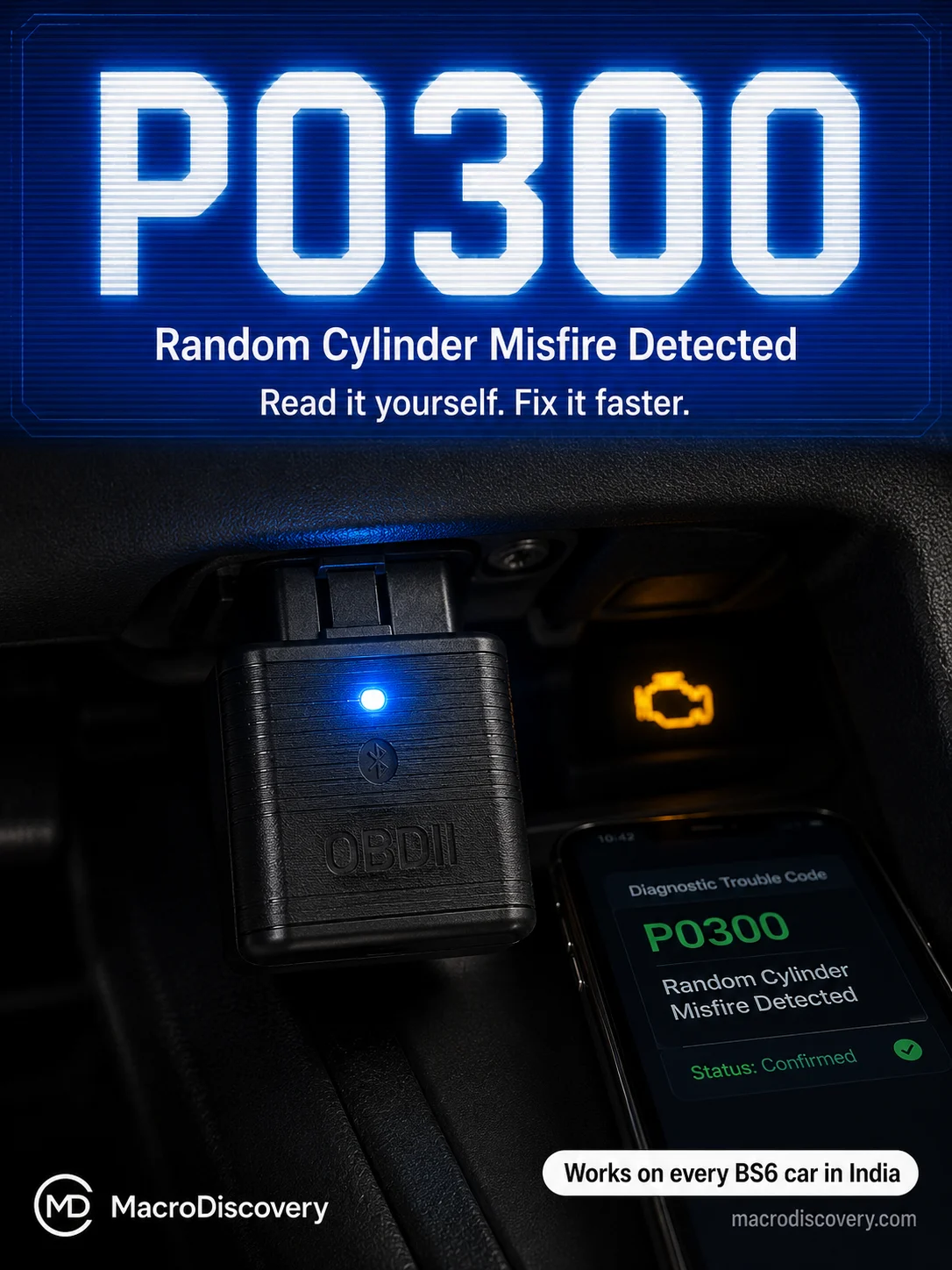
| P0300 | Random / Multiple Cylinder Misfire | Worn spark plugs, faulty ignition coils, dirty fuel injectors | High |
| P0301–P0304 | Cylinder-Specific Misfire (1–4) | Same as P0300 but isolated to one cylinder — easier to diagnose | High |
| P0420 | Catalyst Efficiency Below Threshold | Ageing catalytic converter, failing O2 sensor downstream | Medium |
| P0171 | System Too Lean — Bank 1 | Dirty MAF sensor, vacuum leak, low fuel pressure — check MAF first | Medium |
| P0455 | Large EVAP System Leak | Loose or damaged fuel cap — tighten cap and rescan first | Low |
| P0442 | Small EVAP System Leak | Cracked fuel cap seal or loose EVAP hose — inspect cap first | Low |
| P0335 | Crankshaft Position Sensor Fault | Sensor failure or wiring damage — common in high-mileage cars | High |
| P0340 | Camshaft Position Sensor Fault | Sensor failure or damaged wiring harness | High |
| P0401 | EGR Flow Insufficient | Clogged EGR valve — very common in diesel cars in Indian city traffic | Medium |
| P0130–P0167 | Oxygen Sensor Circuit Fault | O2 sensor wear — common after 80,000 km on high-mileage cars | Medium |
What to Look for When Buying on Amazon India
| Feature | What to Choose | Why |
|---|---|---|
| Chipset version | ✓ v1.5 | More stable and reliable than v2.1 — many v2.1 clones have connection issues |
| Connection type (Android) | ✓ Bluetooth | WiFi version is not compatible with Android — use Bluetooth only |
| Connection type (iPhone/iOS) | ✓ WiFi | Bluetooth ELM327 does not work with iOS — WiFi version required |
| BS6 compatibility | ✓ Explicitly stated on listing | Confirms support for Indian BS6 protocol — check product description |
| Brands on Amazon India | MODAXE · DETACHI · DPRO | All confirmed BS6 compatible and actively sold on Amazon India |
| Price range | ₹500–₹1,500 | No need to spend more for basic fault code reading and live data |
⚠ Never Clear Codes Before a PUC Emission Test
Clearing fault codes resets the car’s OBD2 readiness monitors — internal self-tests the ECU runs to confirm all emission systems are functioning. After clearing, the car needs several drive cycles to complete these tests. If you go for a PUC test before that is done, the car will fail the readiness check even if the engine is in perfect condition. Always complete any repairs and drive normally for a few days before the emission test.
⚠ A Code Points to a System — Not a Part
One of the most expensive OBD2 mistakes is replacing a part based solely on the code. P0171 (system too lean) is a good example — it could be caused by a dirty MAF sensor, a vacuum leak, a failing fuel pump, or a faulty O2 sensor. The O2 sensor is simply reporting what it sees. Replacing it without investigating the root cause wastes money and leaves the real problem unfixed. Use the code to guide your diagnosis, not to order parts immediately.
When to Use Live Data Instead of Fault Codes
Fault codes appear when the ECU has logged a confirmed fault. But some problems show up in live data before they trigger a code — which makes the live data screen one of the most powerful diagnostic tools on a budget scanner. If your car feels sluggish but shows no codes, watch the coolant temperature live data — if it climbs unusually high or never reaches normal operating temperature, the thermostat may be failing. If fuel trim values are consistently positive and high, the engine is compensating for a lean condition that has not yet triggered P0171. Live data turns your phone into a real-time window into your engine.
What Freeze Frame Data Tells You
Every time a fault code is stored, the ECU takes a snapshot of the engine’s operating conditions at that exact moment — engine speed, vehicle speed, coolant temperature, throttle position, and load. This is freeze frame data. It is particularly useful for intermittent faults that come and go. If your check engine light appeared at highway speed but not in the city, the freeze frame will show a high vehicle speed and engine load at the moment of fault — immediately narrowing the diagnostic direction. Always check freeze frame before clearing codes.
Generic vs Manufacturer-Specific Codes
Codes starting with P0 are generic — they mean exactly the same thing on a Maruti Swift, a Tata Nexon, and a Hyundai Creta. You can look them up in any universal database and trust the definition. Codes starting with P1 are manufacturer-specific — a P1 code on a Tata is not the same as a P1 code on a Hyundai. If your scanner shows a P1 code, search for it specifically with your car’s brand name. Some basic budget scanners only display P0 codes — if your check engine light is on but the scanner shows no codes, this may be why.
Will an OBD2 scanner work on my BS6 Maruti / Tata / Hyundai?
Yes — all BS6 cars sold in India are OBD2 compliant and compatible with standard ELM327 Bluetooth scanners. Look for listings on Amazon India that explicitly mention BS6 compatibility. MODAXE, DETACHI, and DPRO are confirmed BS6 compatible brands actively sold on the platform.
Can I clear the check engine light myself with a scanner?
Yes — but only after the underlying fault is repaired. Clearing the code turns off the light temporarily. If the problem is not fixed, the light returns within one or two drive cycles when the ECU detects the fault again. Clear the code after repair, drive normally, and check after a day that the light has not returned.
My scanner says no codes found but my check engine light is on. Why?
Two likely reasons. First, your car may have a manufacturer-specific P1 code that your basic scanner cannot read — mid-range scanners like those with enhanced mode support read both generic and brand-specific codes. Second, the fault may be stored in the ABS, airbag, or another system that a standard ELM327 cannot access. A workshop with a full-system scanner will find it.
Is it safe to drive while the scanner is plugged in?
The scanner itself is safe to leave plugged in. The caution is about watching the live data screen while driving — that is a distraction risk. If the port is near the brake or accelerator pedal, use an OBD2 extension cable to move the dongle away from the footwell. Use the live data screen only when stationary or have a passenger read it for you.
What is the difference between a stored code and a pending code?
A stored code (also called a confirmed DTC) means the fault has been detected on at least two drive cycles and has triggered the check engine light. A pending code means the ECU detected something abnormal in one drive cycle but has not yet confirmed it as a fault — the check engine light may not be on yet. Both are visible in a good OBD2 app. Pending codes are useful for catching problems early before they become confirmed faults.
My scanner connects but shows no live data. What is wrong?
The most common cause is a protocol mismatch. Most modern Indian BS6 cars use ISO 15765-4 CAN. In your app’s settings, go to the connection or adapter settings and manually set the protocol to ISO 15765-4 CAN 500k 11-bit. If that does not work, ensure the ignition is fully ON or start the engine and try reconnecting.