
Detect Hidden Camera Hotel Room: Worried about hidden cameras in hotel rooms? Learn simple ways to detect spy cameras using your smartphone, Wi-Fi scans and visual checks to protect your privacy.
Hotels are supposed to feel safe, private, and relaxing. Yet, growing reports of hidden cameras in rental properties and hotel rooms have made many travellers uneasy. While such incidents are still uncommon, the possibility of being secretly recorded is enough to cause serious concern—especially for frequent travellers.
The good news? You don’t need professional surveillance equipment to protect yourself. With a little awareness and your smartphone, you can quickly check a hotel room for hidden cameras and regain peace of mind.
Are Hidden Cameras in Hotels Really a Problem?
Most branded hotels follow strict privacy rules and conduct regular inspections. However, isolated cases have surfaced where concealed cameras were discovered in bedrooms or bathrooms—often installed by rogue individuals rather than hotel management.
Surveys and traveller reports suggest that a noticeable number of guests have encountered suspicious devices in short-term rentals and budget stays. While the risk is low, being informed is the smartest form of protection.
Common Places Where Hidden Cameras Are Installed
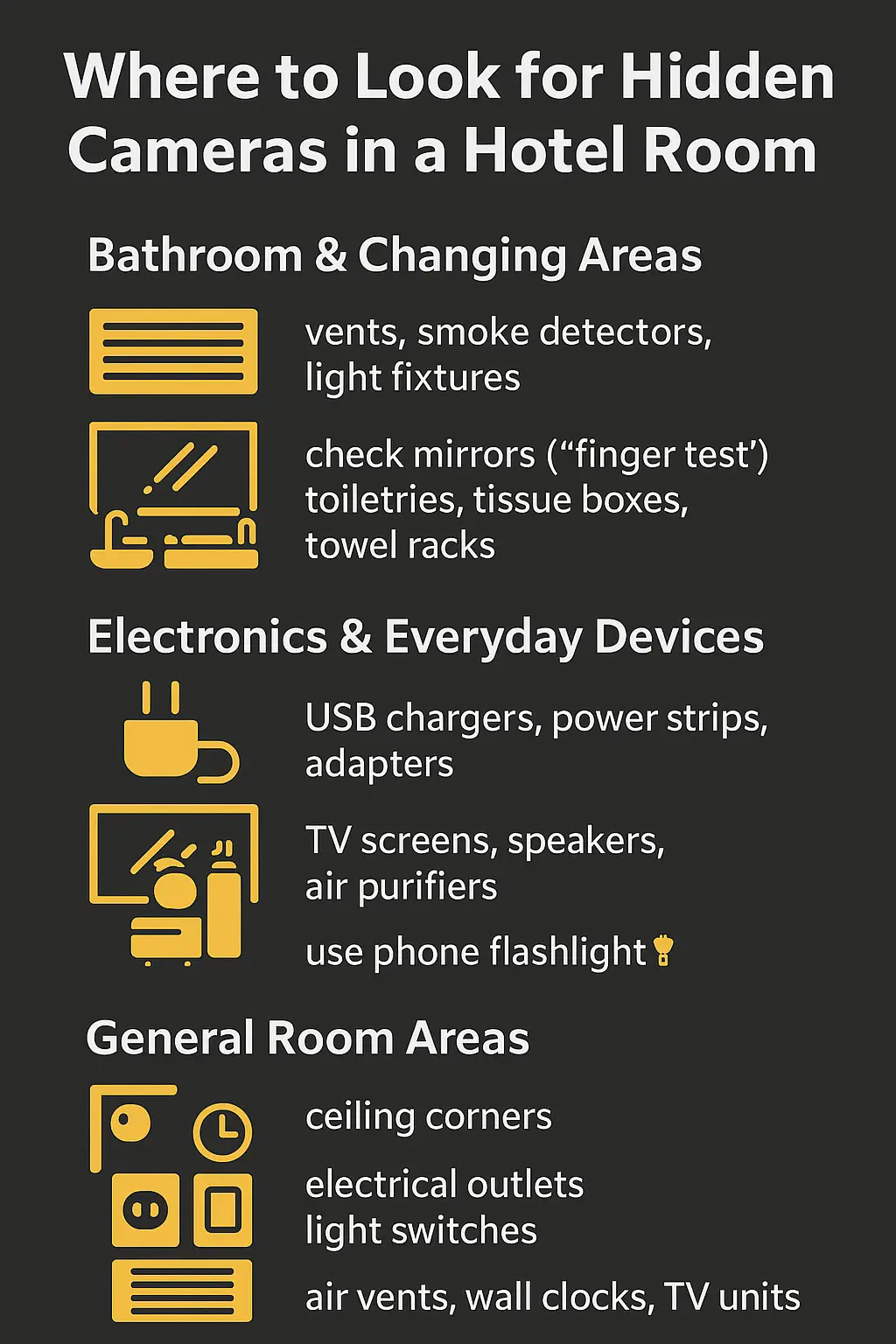
Hidden cameras are usually placed where they have a clear view but remain unnoticed. These are the areas you should inspect first:
Bathrooms and Changing Areas
- Smoke detectors, exhaust vents, or ceiling corners
- Light fixtures and wall-mounted accessories
- Behind mirrors (check carefully)
- Tissue boxes, towel racks, or toiletry holders
Bathrooms are the most sensitive areas and deserve extra attention.
Electronics and Everyday Devices
- USB chargers, power adapters, and power strips
- Alarm clocks, digital clocks, and speakers
- Televisions, set-top boxes, or air purifiers
Some hidden cameras are designed to look like normal electronic items.
General Room Areas
- Ceiling corners and wall edges
- Electrical sockets and switchboards
- Air vents, wall clocks, or decorative items
Anything with a direct line of sight is worth inspecting.
Simple Ways to Detect Hidden Cameras Using Your Phone
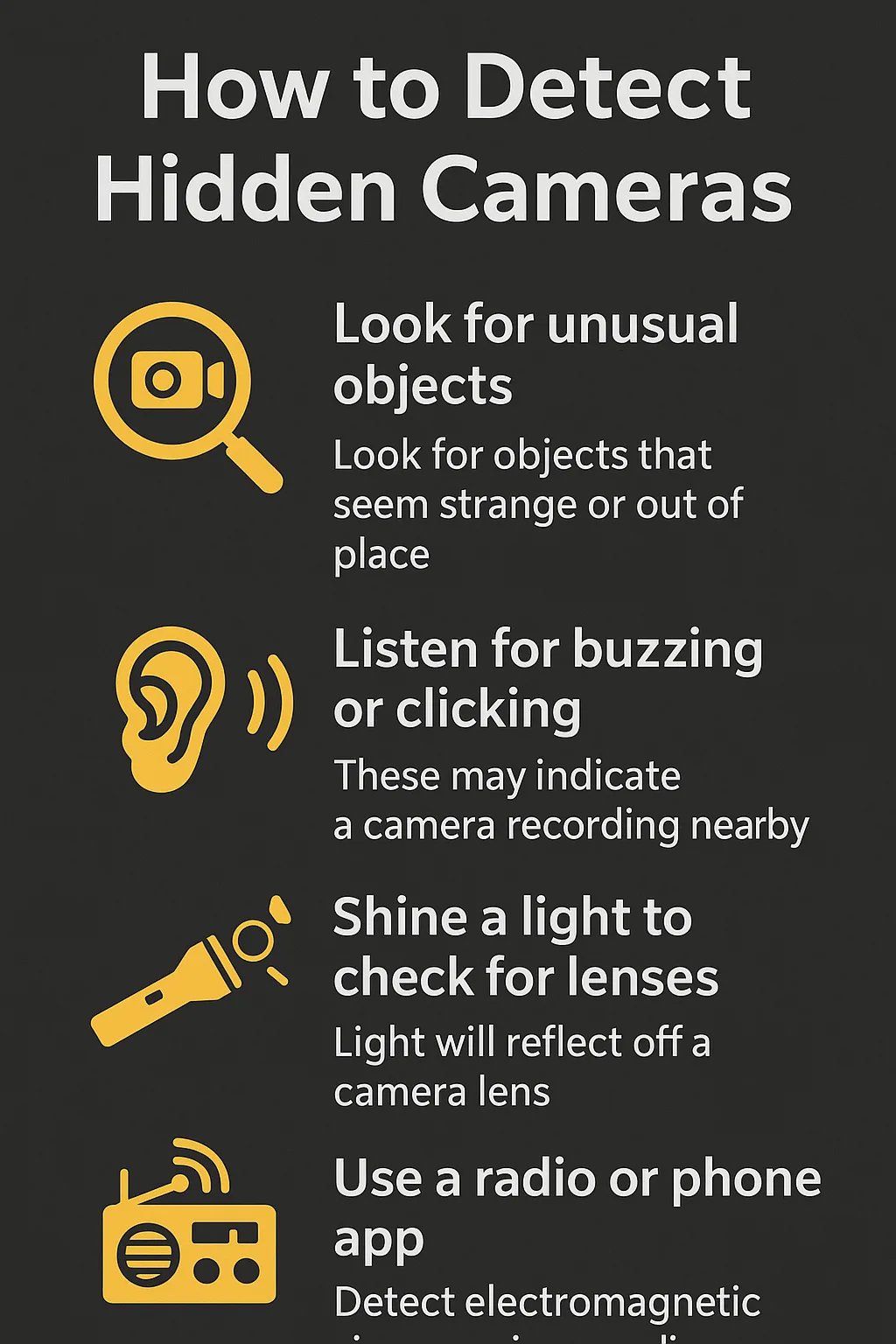
You don’t need spy gadgets to find surveillance devices. These easy techniques can be done within minutes.
1. Scan the Room in Darkness for Infrared Lights
Many hidden cameras use infrared (IR) LEDs for night vision. These lights are invisible to the naked eye but may appear on smartphone cameras.
How to check:
- Turn off all lights and close the curtains
- Open your phone’s camera app
- Slowly scan the room
If you see tiny red, purple, or blinking dots, investigate closely.
Tip: If your rear camera doesn’t detect IR, try the front camera.
2. Use a Hidden Camera Detection App
Several apps can detect radio frequency (RF) signals emitted by wireless cameras.
Popular options include:
- Fing Network Scanner
- Hidden Camera Detector
- Glint Finder
Walk around the room while scanning. If the app highlights unknown signals or devices, inspect the area carefully.
ये रिपोर्ट पढ़ें: Top 20 Google Gemini AI Photo Prompts for Ultra-Realistic Images.
3. Use Your Phone’s Flashlight to Spot Lens Reflections
Camera lenses reflect light differently than ordinary surfaces.
What to do:
- Turn on your phone’s flashlight
- Shine it slowly over suspicious objects
- Look for sharp, glass-like reflections
Focus on smoke detectors, vents, clocks, and electronic devices.
4. Listen for Interference During a Phone Call
Wireless cameras can sometimes interfere with phone signals.
Make a call and walk around the room. If you notice sudden buzzing, static, or distortion in certain spots—especially near electronics—it may indicate an active wireless device.
5. Check the Hotel Wi-Fi for Unknown Devices
Many modern spy cameras connect to Wi-Fi for live streaming.
Steps:
- Connect to the hotel Wi-Fi
- Open a network scanner app
- Look for unfamiliar devices named “IP Camera,” “Webcam,” or generic codes
If a device disappears when Wi-Fi is turned off, it could be suspicious.
6. Test Mirrors for Two-Way Glass
Some cameras are hidden behind two-way mirrors.
Fingernail test:
- Place your fingernail against the mirror
- If there’s a visible gap, it’s a normal mirror
- If there’s no gap, inspect further or report it
What to Do If You Find a Hidden Camera
- Do not touch or disable the device
- Take photos or videos as evidence
- Inform hotel management immediately
- Contact local authorities if needed
- Request a room change or refund
Your safety and privacy should always come first.
Final Thoughts
Hidden cameras in hotel rooms are rare, but the impact of such a violation can be serious. Spending just a few minutes checking your surroundings can make a big difference—especially when travelling alone or staying in unfamiliar places.
By knowing where to look and how to use simple smartphone tools, you can travel with confidence and protect your personal privacy wherever you stay. you unpack.