Google Can Still Track You Without GPS: Google can track your location even when GPS is turned off. Learn how Wi-Fi, mobile towers and IP address data reveal your location and how to protect your privacy.
Most smartphone users believe that switching off GPS is enough to stay invisible. In reality, location tracking goes far beyond satellites. Even with GPS disabled, Google can still form a fairly accurate idea of where you are—often without you noticing.
From Wi-Fi signals to mobile networks, modern devices constantly exchange data in the background. Let’s break down how Google estimates your location without GPS and what you can do to reduce unnecessary tracking.
Why GPS Alone Doesn’t Control Location Tracking
Google’s ecosystem is built into almost every part of daily digital life—Android phones, Gmail, Chrome, Maps, smart TVs, speakers, and cloud services. Because these services rely on internet connectivity, devices continuously share certain technical details whenever they are online.
Location data is one of those details. Turning off GPS only disables satellite-based tracking, but it doesn’t stop your phone from interacting with nearby networks. These interactions provide enough information for Google to calculate your approximate location.
In short, GPS is just one piece of a much larger location puzzle.
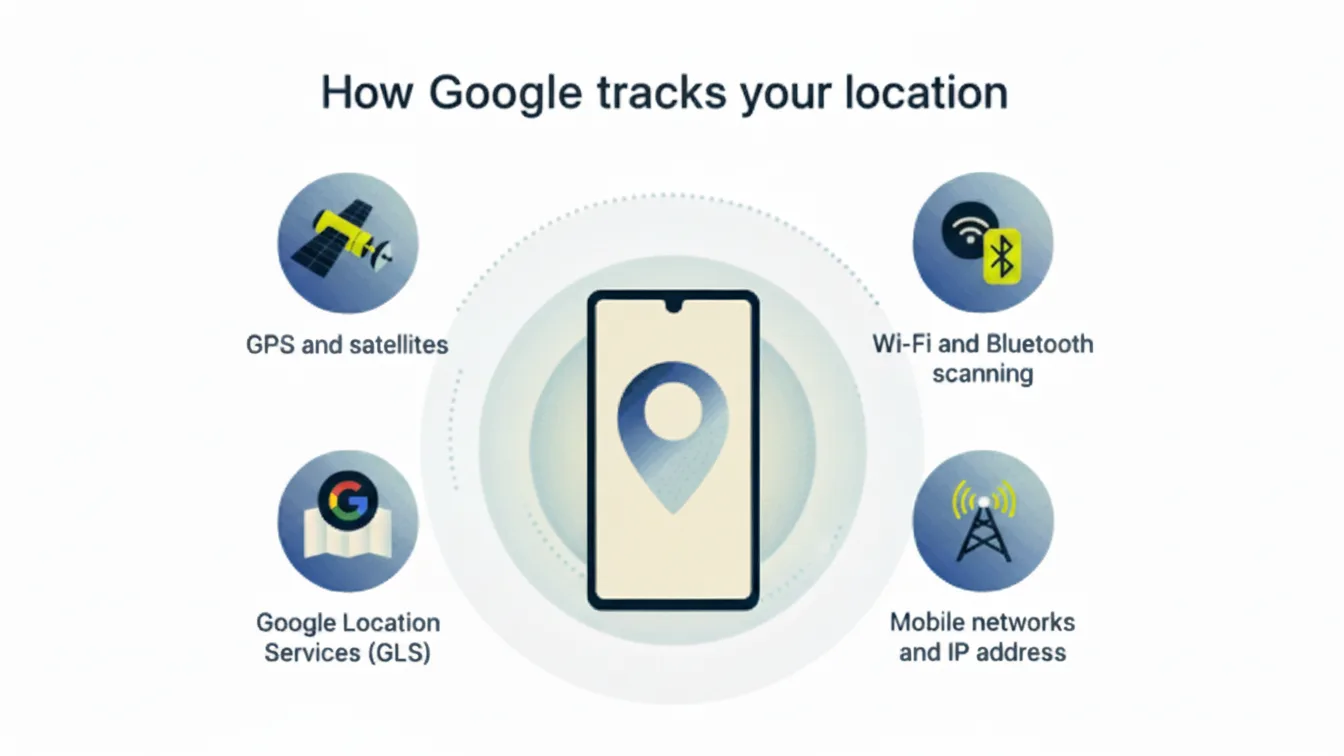
Ways Google Knows Your Location Even When GPS Is Off
1. Wi-Fi and Bluetooth Scanning
Your phone constantly scans for nearby Wi-Fi networks and Bluetooth devices—even when you’re not connected to them.
Google maintains a massive global database of Wi-Fi routers and Bluetooth beacons. When your phone detects these signals, Google matches them against its database to estimate where you are. In many cases, this method is accurate enough to identify your neighborhood or even a specific building.
This type of tracking works indoors as well, where GPS signals are often weak or unavailable.
2. Mobile Network Towers
Every time your phone connects to a mobile network, it communicates with nearby cell towers. Google can analyze which towers your phone connects to and how strong the signal is.
By comparing signal timing and strength from multiple towers—a process known as cell tower triangulation—Google can estimate your location with reasonable accuracy. This method works whether you are traveling, indoors, or in areas with poor GPS reception.
ये रिपोर्ट पढ़ें: Top 20 Google Gemini AI Photo Prompts for Ultra-Realistic Images.
3. IP Address Location Data
Whenever you use the internet, your device is assigned an IP address. This address reveals your general geographic region, such as your city or area.
On its own, IP-based location isn’t very precise. However, when combined with Wi-Fi scans and mobile network data, it becomes a powerful tool for narrowing down your location.
How to Reduce Google’s Location Tracking
While completely eliminating location tracking is difficult, you can significantly limit how much data is collected by adjusting a few settings.
1. Disable Google Location History
Google stores long-term records of where you’ve been if Location History is enabled.
- Open your Google Account
- Go to Data & Privacy
- Turn off Location History
This stops Google from building a detailed timeline of your movements.
2. Turn Off Google Location Accuracy
On Android devices, Google Location Accuracy allows location detection using Wi-Fi, Bluetooth, and sensors—even without GPS.
Disabling this feature prevents Google from combining these signals to pinpoint your location.
3. Manage App Location Permissions
Many apps request location access even when it’s not essential for their core function.
Review app permissions and set them to:
- Allow only while using the app, or
- Deny, if location access isn’t necessary
This greatly reduces background location sharing.
Final Thoughts
Turning off GPS alone does not make you invisible online. Google relies on multiple data sources—Wi-Fi networks, Bluetooth signals, mobile towers, and IP addresses—to estimate your location even when GPS is disabled.
The good news is that understanding these methods puts control back in your hands. By adjusting Google account settings, limiting app permissions, and being mindful of background data access, you can take meaningful steps toward protecting your privacy.
Your location data is valuable—deciding how much of it you share should be your choice.